Instagram Reels and Stories
The top bar, the account name, caption and sound line at the bottom, and the like, comment and share buttons on the right.
On airFree · nothing leaves your browser
Drop in a reel, story or TikTok frame. We draw the bands the apps cover, the button rail and the safe area our designers keep every word in. Or download the template for your editor.
Drop a reel, story or TikTok frame here
Your file plays in your browser only. Nothing is uploaded.
01 Side by side
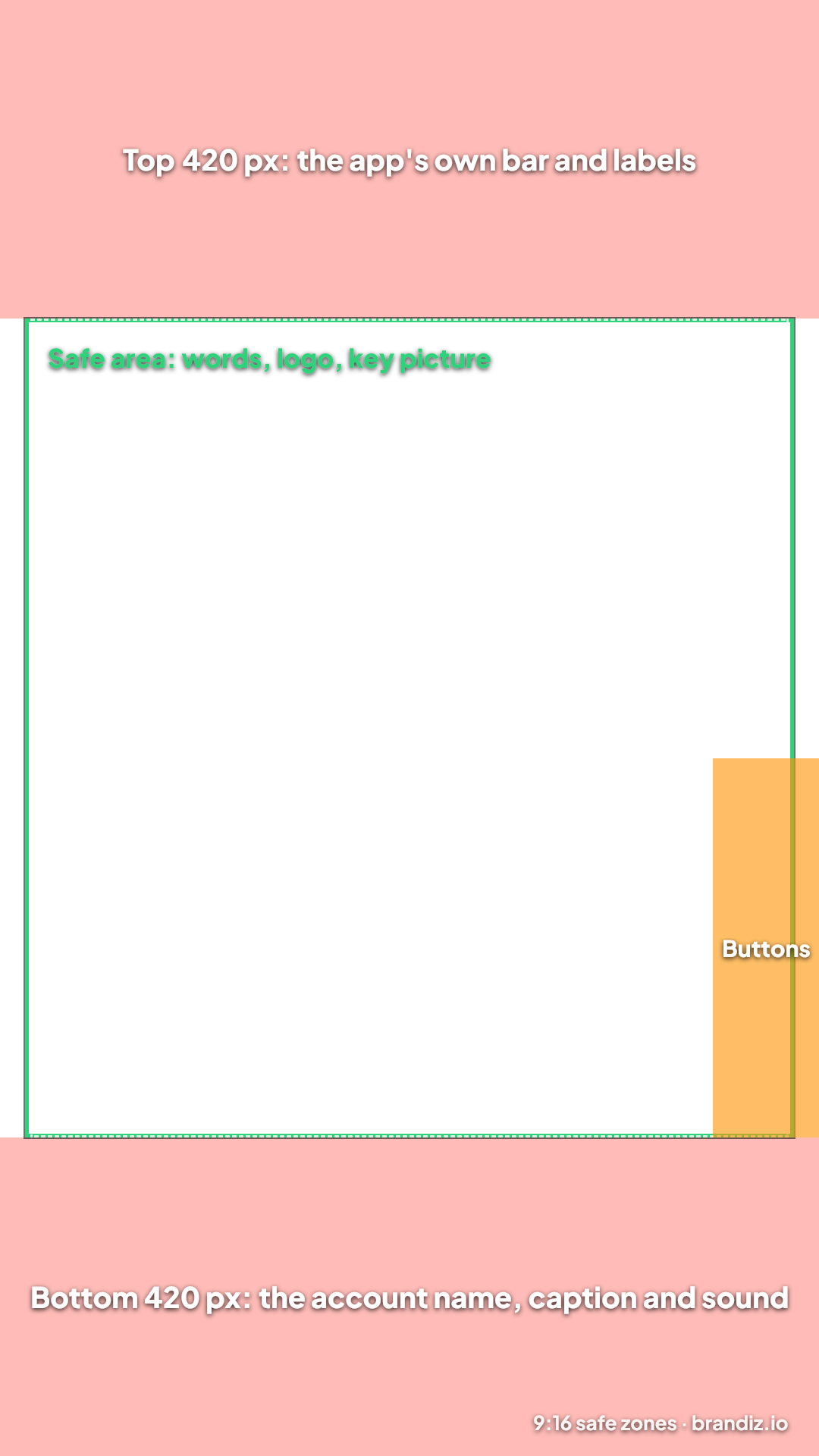
On a 1080 × 1920 frame, the safe area our studio designs every reel and story in.
| Zone | Where | Keep out of it |
|---|---|---|
| Top band | the top 420 pixels | Words, the logo and faces |
| Bottom band | the bottom 420 pixels | Words, the logo, prices and the call to action |
| Sides | 33 pixels from the sides for anything important, 40 pixels from the sides for words | Words |
| Button rail | x 940 to 1080, y 1000 to 1500 | Any words at all |
| Safe area | Everything in between | Nothing: put the message here |
Backgrounds, photos and video may fill the whole frame. Only what has to be read or seen stays inside.
02 In short
Each app lays out its buttons a little differently and changes them now and then. Our safe area clears all of them, so one video works everywhere.
The top bar, the account name, caption and sound line at the bottom, and the like, comment and share buttons on the right.
The caption and sound at the bottom left and the tall column of buttons on the right.
The title and channel at the bottom and the buttons on the right.
The same layout as Instagram's, with the page name and caption at the bottom.
03 Step by step
A transparent 1080 × 1920 picture with the bands, the button rail and the safe area drawn on it.
Put it on the top layer of your editor (CapCut, Canva, Premiere Pro, Final Cut or After Effects) at 1080 × 1920.
Move every word, the logo and the key picture inside it and out of the orange button rail.
Turn the template's layer off, then export your reel as usual.
04 Asked often
The part of the 1080 × 1920 frame that the app's bar, caption and buttons don't cover. Keep words, the logo and the key picture out of the top 420 pixels and the bottom 420 pixels, at least 40 pixels from the sides, and out of the button rail at the lower right.
Close, not the same: each app places its buttons a little differently. This safe area clears Instagram, TikTok, YouTube Shorts and Facebook, so one video works on all of them.
No. Your picture or video plays in your browser only. Nothing is sent to us or stored.
Yes. The studio designs every reel, story and reel cover inside this safe area, and a check sends a story poster back to the designer when a word or the logo falls outside it.
Read next
Brandiz.io makes 9:16 reels from your website and photos: a storyboard, music cut to the beat, a voice-over in your language and captions inside the safe area.
Brandiz.io makes TikTok videos for your business from your website and photos: 9:16, music, voice-over and captions kept inside the safe area.
Paste a caption to see its length on Instagram, TikTok, LinkedIn, X and four more networks, what shows before “more”, and your hashtags. Free, no sign-up.
Sign up and your first 3 posters and a reel are free, made from your website, with no card needed.
Or try the free brand read first.