ON AIRSaaS and apps · a playbook the team follows

Social media posts for SaaS products and apps.

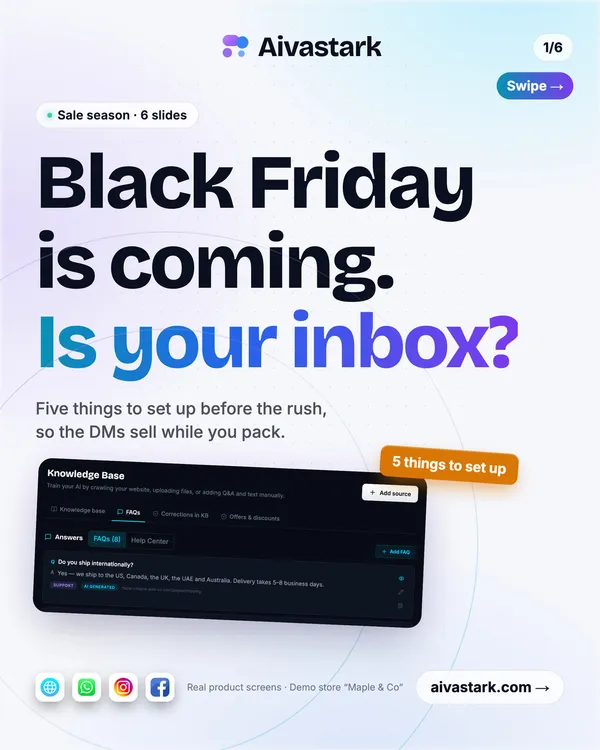
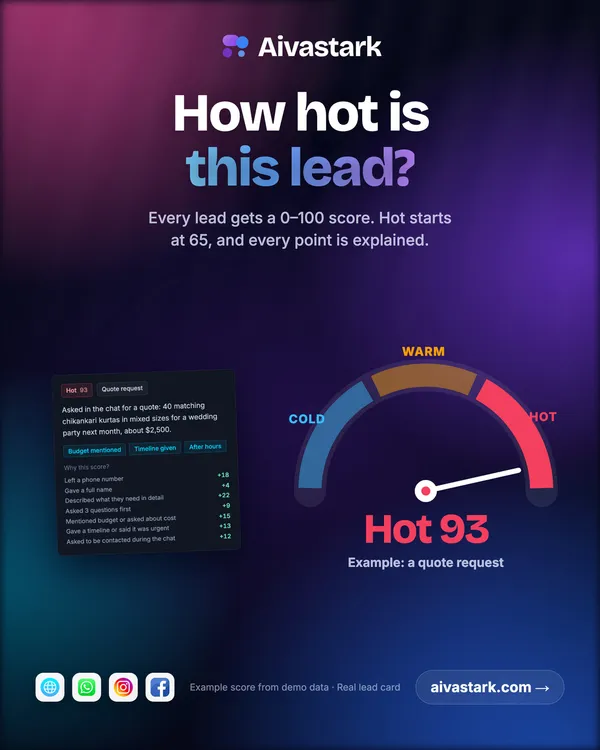
People decide on an app in seconds, from what it does for them. The team starts from what works for SaaS products and apps, and builds posts from your real screens.

Free brand read / no sign-up / public pages only

01 In short

What your buyers ask before they buy

Good posts answer these before anyone has to message you.

Small-business owner replacing paper registers, spreadsheets or chat groups (shop, clinic, school, distributor)

They want something staff learn in a day, that works on a phone, at a fair monthly price, with local payment methods and language. They ask: How much per month, is there a free trial, does it work on mobile and offline, and will someone help us set it up?

Team lead or manager choosing a tool for their team

They want hours saved every week, a tool that connects to what the team already uses, and a rollout that doesn't need IT. They ask: Does it work with our tools, how long does setup take, who like us already uses it, and what does it cost per seat?

Startup founder or operator unhappy with their current tool and comparing alternatives

They want a missing feature or better value than today, and a move that takes days, not months. They ask: How is it different from what I use now, can I import my data, and how fast do you ship?

Consumer who finds an app on Reels or in a feed and decides in seconds

They want to fix a daily annoyance quickly, free to start, simple from the first screen. They ask: What does it do, is it free, and are people like me actually using it?

02 In short

The posts that work best

From our research into the strongest accounts and longest-running ads in this field. Best first.

Feature in action

In this niche the product is the ad. Showing the one screen that makes people say 'that's neat' proves the value in seconds instead of hiding it behind a demo.

Old way vs new way

Buyers recognise their own mess before they understand a feature. The pain on one side and the clean product on the other makes the switch feel obvious.

Customer result

Most software buyers read reviews and many talk to a user before buying. A quote with a concrete before and after number does that work in the feed.

Us vs the usual options

Buyers now shortlist fewer vendors. A fair table on price, setup time and the features they care about makes the decision easy and gets shared inside teams.

What's new

Regular, dated updates prove the product is alive and listening, which matters most for young companies. Users share features they asked for.

Set it up in three steps

The hidden objection is effort. A short, numbered setup shows the first win is minutes away, and the carousel gets saved for later.

Pricing, plainly

Transparent pricing is what software buyers most want and least often find. Showing it builds trust and filters out people who would never pay.

Usage milestone

A real count of businesses, users or transactions is social proof and momentum at once, and customers like being part of it.

03 Checklist

Openings that stop the scroll

Patterns, not copies: the team fills the brackets with your own facts.

  • Still doing [task] in [spreadsheets/paper/chat groups]? Here's the [N]-second way.
  • [Job title]s: [task] just got [N]× faster.
  • New: [feature]. You asked for it.
  • How a [business type] cut [task] from [time] to [time].
  • [N] [businesses/users] now use [product] to [job].
  • Set up [outcome] in [N] minutes. No card needed.

04 Avoid

What looks cheap or costs trust

  • Abstract stock imagery (glowing networks, rockets, people high-fiving) instead of the product
  • Leading with the logo or the company story before the user's problem
  • Ten-bullet feature lists in one image
  • Full dashboards shrunk so small that nothing can be read on a phone
  • Jargon and clever metaphors the viewer has to decode while scrolling
  • Mockups with lorem ipsum or the wrong market's data (dollars and US names for a Pakistani product)

05 Checklist

Moments in the year worth a post

  • Launch day and major version releases
  • Product and company anniversaries, and user-count milestones
  • Black Friday and Cyber Monday: annual-plan offers
  • New year: annual plans and a 'year in numbers' recap from product data
  • Ramadan: features and tips for changed opening hours and seasonal sales
  • Eid ul Fitr and Eid ul Adha

06 Step by step

How Brandiz.io makes them for you

  1. Paste your website

    The team reads your public pages and recognises the kind of business you are from your own words, then picks this playbook.

  2. It plans from what works

    Your posts start from the patterns above, filled with your own services, prices and pictures. It never copies another business's posts.

  3. You approve every post

    Every number and price must match a fact you confirmed. Approve with one tap, ask for a change, or disapprove.

07 Asked often

Questions

What should SaaS products and apps post on social media?

Start with feature in action, old way vs new way and customer result. In this niche the product is the ad. Showing the one screen that makes people say 'that's neat' proves the value in seconds instead of hiding it behind a demo.

Can Brandiz.io make posts for SaaS products and apps?

Yes. Paste your website: the team reads it, plans from the saaS product or app startup playbook and makes posts from your own pictures and confirmed facts, in your colours and your language. Nothing goes out until you approve it.

Your first poster is one link away.

Sign up and your first poster is free, made from your website, with no card needed.

Create your first posts

Or try the free brand read first.